
nano-banana.com has evolved into EIMG AI, now at eimg.ai. Your account, credits, and creations are all here—bookmark our new address so you can always find us.

EIMG AI logoEIMG AI
  • Nano Banana 2NEW
  • Nano Banana Pro
  • My Creations
Upgrade Now
EIMG AI logoEIMG AI
Create New
Navigation
  • Home
  • AI Generator
  • Veo 3.1
  • MiniMax H3New
  • Seedance 2.5New
  • Seedance 2.0
  • Gemini Omni
  • Sora 2
  • Text to Video
  • Image to Video
  • Reference to Video
  • LoRAHot
  • Explore
  • Projects
  • API
Seedance 2.5

Seedance 2.5 - AI Video Generator

Direct videos up to 30 seconds with text, image, video, and audio references across text-to-video, image-to-video, and multi-reference workflows.

AI model
Choose a mode and provide your description below
Seedance 2.52.5

Create a video from a detailed prompt with timing, camera, action, and audio direction.

0/7000
4s
Enter at least 3 characters in the prompt.
Cost: 400 creditsBalance: 0 credits

100 credits per output second

Insufficient creditsAdd credits

Preview your Seedance 2.5 result here

Choose a mode, add the required media, write the direction, and generate a Seedance 2.5 video.

Model
Seedance 2.5
Duration
4s
Resolution
720p
Ratio
16:9
BYTEDANCE SEED · NEXT-GENERATION VIDEO MODEL

Seedance 2.5 AI Video Generator
AI Video Generator for Directed 30-Second Scenes

Move from isolated demo shots to a production brief. Seedance 2.5 is designed around longer single clips, dense multimodal reference packages, R2V motion control, synchronized audiovisual direction, and precise local revisions for ads, product films, social content, and narrative work.

Open the WorkspaceExplore Capabilities

Longer scenes, richer references, and more precise creative control

30s
maximum single-clip duration
50 references
multimodal creative inputs
R2V
reference-to-video direction
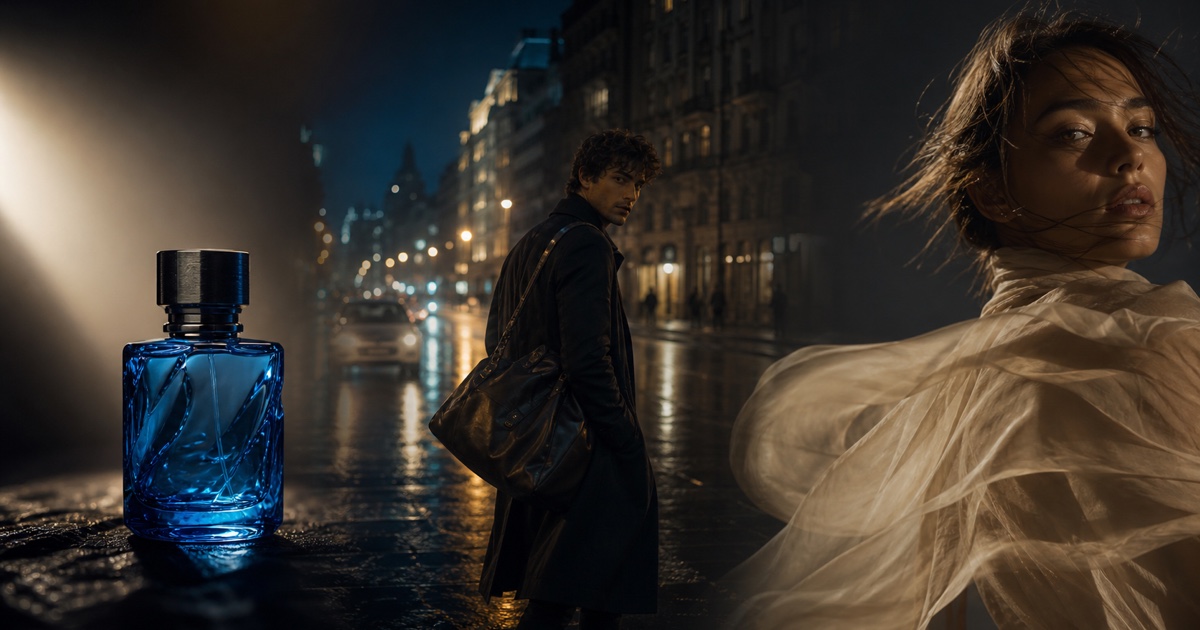
Cobalt glass product scene illustrating controlled commercial video direction
One model direction, three kinds of creative control30s · 50 references · R2V
MODEL OVERVIEW

What is Seedance 2.5?

Seedance 2.5 is a next-generation AI video model for production-scale creation. It combines single clips up to 30 seconds, as many as 50 multimodal creative inputs, reference-to-video motion control, stronger long-scene continuity, coordinated audiovisual direction, and precise localized video editing in one directing workflow.

In practical terms, this is a shift from asking for one attractive shot to packaging a small production: script beats, character and product references, motion footage, camera intent, sound cues, and targeted revision instructions can all contribute to the same brief.

Text to VideoImage to VideoReference to VideoExplore Seedance 2.0
01

Designed for production structure

The important upgrade is not a vague promise of prettier frames. Longer timing, larger reference sets, and region-level edits are intended to reduce the repeated generate-and-stitch cycle that slows professional AI video work.

02

One workflow from concept to final cut

Combine scripts, characters, products, environments, performance, camera motion, sound, and local revision instructions in one brief so every input serves a specific shot objective.

CAPABILITY MAP

The upgrades that change a real video workflow

Each capability answers a production bottleneck: short narrative windows, fragmented references, motion ambiguity, expensive reruns, disconnected audio, or inconsistent localization.

UP TO 30S

Native 30-second scene direction

A half-minute single clip gives a commercial, product demo, short-drama beat, or training sequence room for setup, action, transition, and payoff without treating every moment as a separate generation.

50 INPUTS

Up to 50 multimodal references

Combine scripts, images, video clips, audio, storyboards, character sheets, style frames, camera notes, and brand assets. The value is not the raw count; it is assigning each reference a clear creative role.

R2V

R2V motion and spatial control

Reference-to-video guidance can communicate how a person moves, where subjects sit in the frame, how they interact, and how a camera travels. Green-screen or neutral performance references can isolate movement from final art direction.

LOCAL EDIT

Localized video editing

Target the object, region, or moment that needs correction while aiming to preserve composition, lighting, motion, sound, and timeline continuity elsewhere. This turns revision into a scoped instruction instead of a full reroll.

AUDIO + VIDEO

Integrated audiovisual direction

Write dialogue, ambience, effects, music intent, timing, and visible performance into the same brief so sound and image follow one shared narrative arc.

GLOBAL

Multilingual creative workflows

Direct dialogue, lip movement, caption constraints, and sound across major languages while reducing accidental text and unrelated music in the final video.

PRODUCTION SCENARIOS

One model direction, three kinds of creative control

The strongest use cases are not random spectacle. They are jobs where subject identity, product geometry, motion, camera language, lighting, and sound must survive across a deliberate sequence.

Cobalt glass product scene illustrating controlled commercial video direction
PRODUCT CONTROL

Commercial product film

Lock packaging shape, material response, logo-safe framing, reflection behavior, and the sequence of reveal shots. Use reference roles to separate product truth from lighting and motion inspiration.

Rainy city character scene illustrating longer narrative continuity
STORY CONTINUITY

Narrative continuity

Describe what changes and what must persist across the timeline: the same character, wardrobe, weather, screen direction, emotional state, and motivated camera movement from one beat to the next.

Cinematic fashion portrait illustrating reference-driven movement
MOTION REFERENCE

Fashion and performance

Use performance footage for body movement, still references for identity and garment construction, and audio cues for rhythm. Keep fabric physics and camera speed aligned with the intended editorial mood.

PRACTICAL WORKFLOW

How to prepare a Seedance 2.5 generation

Treat the model like a production collaborator: establish the deliverable, organize references, direct time explicitly, then review against objective acceptance criteria.

  1. 01

    Define the deliverable and success test

    Start with the surface and purpose: a 9:16 social hook, 16:9 product film, 1:1 ecommerce loop, training segment, or story beat. State duration, audience, final action, and what would make the result unusable before adding style language.

  2. 02

    Assign one job to every reference

    Label inputs by function: reference 1 for product geometry, 2 for character identity, 3 for wardrobe, 4 for camera motion, 5 for sound timing, and 6 for color grade. Remove redundant or contradictory assets rather than filling the full allowance.

  3. 03

    Write a timed director prompt

    Break a longer scene into ranges such as 0–8s, 8–20s, and 20–30s. For each range specify subject action, camera position and movement, spatial relationships, transition logic, lighting continuity, dialogue, ambience, and music intensity.

  4. 04

    Review continuity before detail

    First check identity, product shape, screen direction, timing, contact physics, camera motivation, and audio sync. Only then judge texture and polish. If localized editing is available, request one scoped correction and repeat the invariants that must remain unchanged.

MODEL POSITIONING

Seedance 2.5 vs Seedance 2.0

Seedance 2.5 moves the family toward longer, denser, and more editable production workflows for projects that need continuity and precise control.

WorkflowSeedance 2.5Seedance 2.0Production impact
Single-clip durationUp to 30 seconds in one clip4–15 second short-form workflowMore room for a complete narrative or commercial beat before editing and stitching.
Reference packageUp to 50 combined multimodal inputsCombined image, video, and audio referencesLarger casts, brand systems, storyboards, motion guides, and sound references can fit one brief.
Revision modelLocalized video editingRegenerate, refine the brief, or continue from returned framesA targeted fix may preserve more of an otherwise successful take.
Motion controlExpanded R2V, performance, and spatial guidanceText, keyframe, image, video, and audio reference guidanceMovement can be communicated through demonstrated action instead of text alone.
Creative focusLong scenes, dense references, R2V, and local revisionFast clips, keyframes, and multi-reference generationChoose the workflow around scene length, reference density, and the way revisions need to be handled.

Seedance 2.5 fits longer scenes, complex reference packages, and targeted revisions; Seedance 2.0 fits fast iteration and keyframe-driven short-form work.

PROMPT ENGINEERING

Write a director brief, not a bag of style words

A strong prompt explains what happens over time, what each reference controls, what the camera is doing, what viewers should hear, and what must never drift.

FORMAT

Lead with the deliverable

Name duration, aspect ratio, platform, audience, and objective first. A “30-second 16:9 product launch film with a clear end reveal” gives every later choice a measurable job.

INVARIANTS

Lock identity and geometry

List invariants explicitly: face, age, hair, wardrobe, product proportions, packaging details, room layout, vehicle shape, or any other element that cannot be redesigned between beats.

TIMING

Direct the timeline

Use second ranges to describe setup, action, transition, and payoff. Include screen direction and the final frame so the model knows how each beat connects rather than treating the clip as one vague event.

CAMERA

Describe camera motivation

State camera height, framing, lens feel, movement, speed, and why the move happens. “Track left to reveal the product when the subject turns” is clearer than simply asking for a cinematic camera.

SOUND

Build a sound arc

Separate dialogue, ambience, effects, and music. Give timing and intensity, note whether lips are visible, and request silence where needed. Avoid asking one reference track to control every audio decision.

GUARDRAILS

Constrain unwanted output

Request no accidental captions, no unplanned music, no extra products, no identity substitution, no logo deformation, no camera teleportation, and no change outside a localized edit region.

Example: a timed commercial brief

This structure is intentionally observable. Every instruction can be checked in the result and refined without rewriting the entire idea.

DELIVERABLE
30-second 16:9 premium product film; restrained, realistic, suitable for a launch page.

REFERENCE ROLES
@Image 1 controls bottle geometry and cap proportions. @Image 2 controls the graphite set and amber-cyan palette. @Video 1 controls the slow turntable motion only. @Audio 1 controls music tempo only.

TIMELINE
0–7s — 85mm macro, slow lateral slide across condensation and cobalt glass; quiet room tone.
7–18s — pull back to a medium product frame as one hand enters, rotates the bottle 30 degrees, and exits; preserve label-safe front geometry.
18–26s — match-cut from the blue reflection into a rain-lit street texture, then return through the same reflection.
26–30s — locked hero frame, amber rim light, music resolves, two seconds of visual hold.

INVARIANTS
Keep bottle shape, cap height, glass color, camera axis, and light direction unchanged. No extra text, no subtitles, no logo invention, no unrelated background music.
WHERE IT FITS

Production use cases for the 2.5 workflow

Longer scenes and richer reference control matter most when a video must carry brand truth, sequence logic, consistent people, or specific timing—not when novelty alone is enough.

Performance advertising

Build a complete 15–30 second hook, demonstration, objection, and payoff while keeping the product, actor, and offer framing consistent across the sequence.

Ecommerce product films

Preserve packaging geometry and material behavior across macro details, handling shots, turntable motion, contextual use, and a clean final hero frame.

Short films and story beats

Give a scene time for intention, reaction, camera movement, and emotional change while using identity, wardrobe, location, and storyboard references as continuity anchors.

Social and music-led content

Coordinate performance, camera rhythm, transitions, ambience, and musical timing for vertical edits, creator series, visualizers, and narrative social posts.

Training and explainers

Use scripts, product-operation references, approved environments, and voice direction to create a clearer process demonstration or onboarding segment.

Localized campaign variants

Keep the same brand system and visual narrative while adapting spoken language, timing, talent, environment, or market-specific creative direction.

QUESTIONS, ANSWERED

Seedance 2.5 FAQ

Learn how to use 30-second scenes, multimodal references, R2V, local editing, subject consistency, sound control, and stronger Seedance 2.5 prompts.

Turn the idea into an executable Seedance 2.5 brief

Organize timing, references, camera movement, sound, and invariants so each generation has a clear objective and every revision is easier to control.

Start CreatingExplore Seedance 2.0
EIMG AI logoEIMG AI

Create Stunning Images with AI

Product
  • Pricing
  • Blog
  • FAQ
Other Services
  • Nano Banana Pro
  • Nano Banana 2
  • Nano Banana 2 Lite
  • Veo 3.1
  • Seedance 2.0
  • Gemini Omni
  • Sora 2
  • Prompts
Legal
  • Cookie Policy
  • Refund Policy
  • Privacy Policy
  • Terms of Service
© 2026 EIMG AI All Rights Reserved.•@Aitoolverse
Stripe ClimateContact