
nano-banana.com has evolved into EIMG AI, now at eimg.ai. Your account, credits, and creations are all here—bookmark our new address so you can always find us.

EIMG AI logoEIMG AI
  • Nano Banana 2NEW
  • Nano Banana Pro
  • My Creations
Upgrade Now
EIMG AI logoEIMG AI
Create New
Navigation
  • Home
  • AI Generator
  • Veo 3.1
  • MiniMax H3New
  • Seedance 2.5New
  • Seedance 2.0
  • Gemini Omni
  • Sora 2
  • Text to Video
  • Image to Video
  • Reference to Video
  • LoRAHot
  • Explore
  • Projects
  • API
MiniMax H3

MiniMax H3 - AI Video Generator

Generate 4–15 second MiniMax H3 videos from text, opening and ending frames, or multimodal references with native stereo audio.

AI model
Choose a mode and provide your description below
MiniMax H3H3

Create a video from a detailed prompt with timing, camera, action, and audio direction.

0/7000
4s
Cost: 100 creditsBalance: 0 credits
Insufficient creditsAdd credits

Preview your MiniMax H3 result here

Choose a mode, add the required media, write the direction, and generate a MiniMax H3 video.

Model
MiniMax H3
Duration
4s
Resolution
768P
Ratio
16:9
MINIMAX · OMNIMODAL VIDEO MODEL

MiniMax H3 AI Video Generator
Direct Picture, Motion, Dialogue and Sound Together

MiniMax H3 turns text, images, video, and audio context into coherent AI videos with native stereo sound. Build 4–15 second shots, guide the first and last frame, assemble multimodal references, choose the delivery ratio, and carry one audiovisual idea from prompt to finished sequence.

Generate with MiniMax H3Explore the H3 Workflow

One multimodal brief for visual continuity, performance, dialogue, ambience, and sound

4–15s
supported clip duration
Stereo
native 32 kHz audio
2K
output resolution
Cinematic product scene for a MiniMax H3 multimodal video workflow
One H3 direction, three production patterns4–15s · Stereo · 2K
MODEL OVERVIEW

What is MiniMax H3?

MiniMax H3 is an omni-modal generative video system that understands text, images, video, and audio, then produces video with native stereo sound. Use text-to-video for prompt-led shots, image-to-video with a required opening frame and optional ending frame, or reference-to-video for larger multimodal reference packages.

For creators, the practical change is a shared audiovisual brief. Character identity, shot composition, reference motion, spoken dialogue, ambience, and music direction can be planned as parts of the same 4–15 second sequence instead of separate disconnected tasks.

Text to VideoImage to VideoReference to VideoExplore Seedance 2.5
01

A system of specialized H3 workflows

Use image-to-video when the opening composition matters and add an optional ending frame when the final composition must be controlled. Use reference-to-video when identity, motion, or sound must travel across assets, then choose 768P or 2K for the intended delivery.

02

Built for controlled delivery formats

Landscape, square, and portrait ratios cover cinematic frames, product pages, feeds, and vertical social. The output is 24 fps video with native 32 kHz stereo audio, ready for an editing timeline.

CAPABILITY MAP

MiniMax H3 capabilities that shape the workflow

The useful difference is not one headline metric. It is the way duration, frames, references, aspect ratio, sound, and language control fit one production brief.

4–15S

Four-to-fifteen-second scene control

Choose a clip length from 4 to 15 seconds to match a social hook, product reveal, dialogue exchange, performance beat, or connecting shot without forcing every idea into one fixed duration.

UP TO 12 FILES

Large multimodal reference packages

Reference-led generation can work with up to nine images, three video clips, and three audio clips within the documented duration and file limits, with as many as twelve mixed files in one package.

FL2VA

First and last frame direction

Image-to-video uses a required opening frame and an optional ending frame. This gives the shot a fixed visual starting point and, when needed, a deliberate final composition.

6+ RATIOS

Flexible production aspect ratios

Create wide 21:9 and 16:9 frames, classic 4:3, square 1:1, portrait 3:4, or vertical 9:16 output so composition starts with the real delivery surface.

32 KHZ STEREO

Native stereo audio generation

Dialogue, ambience, effects, and music can be generated with the picture as 32 kHz stereo audio. Describe when each sound begins, where it sits, and how it supports visible action.

11 LANGUAGES

Stable multilingual dialogue

Eleven stable dialogue languages cover Arabic, Chinese, English, French, German, Italian, Japanese, Korean, Portuguese, Russian, and Spanish for international audiovisual work.

MULTIMODAL SCENARIOS

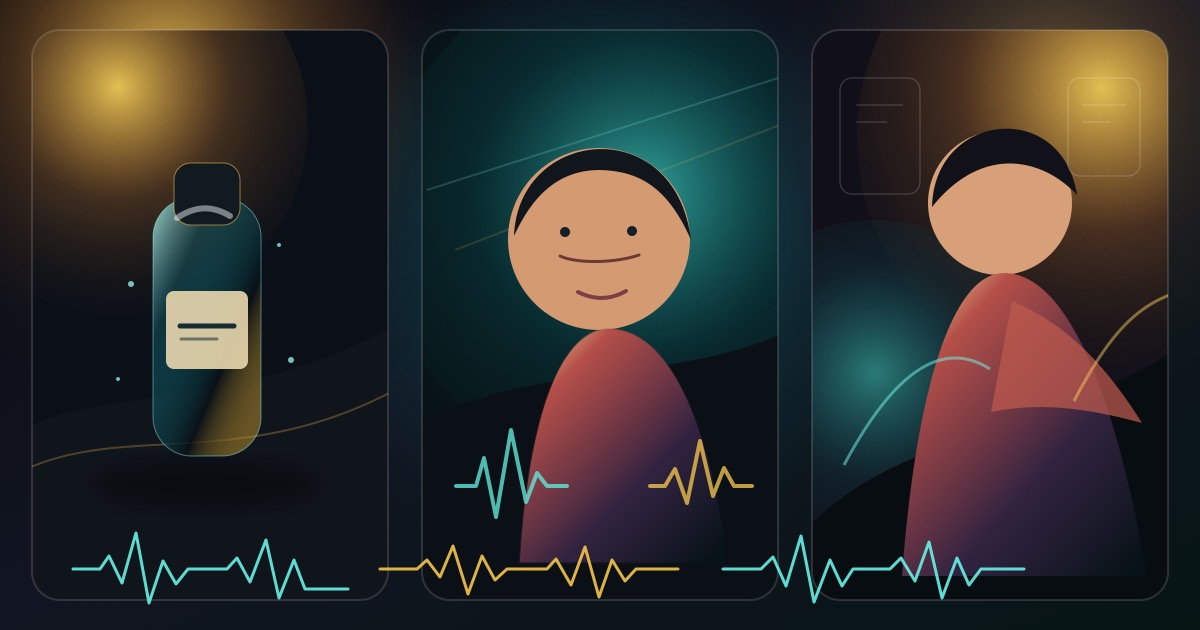
One H3 direction, three production patterns

A strong MiniMax H3 brief makes every input accountable: stills hold identity and design, video demonstrates movement, audio sets performance and rhythm, and the prompt connects them over time.

Cinematic product scene for a MiniMax H3 multimodal video workflow
IMAGE + MOTION + SOUND

Product launch film

Use product stills to preserve silhouette and materials, a short motion clip to guide the reveal, and timed sound cues for tactile details and the final brand beat.

Character dialogue scene illustrating native audio and visual continuity
DIALOGUE + CONTINUITY

Character dialogue scene

Anchor face, wardrobe, and environment with images, define spoken lines and room tone, then direct eye line, reaction timing, camera distance, and the ending frame.

Vertical performance scene illustrating MiniMax H3 reference-to-video control
REFERENCE VIDEO

Performance-led social video

Let reference footage control body rhythm while still images define the final subject and styling. Add music intent, vertical framing, and a readable final hold for the platform.

PRACTICAL WORKFLOW

How to prepare a MiniMax H3 video

Start with the delivery format, choose the correct H3 input pattern, assign each reference one job, and direct visuals and audio on the same timeline.

  1. 01

    Define duration, ratio, and final frame

    Choose 4–15 seconds and the real output ratio first. State the opening action, the turning point, and what the viewer should see and hear in the final second.

  2. 02

    Choose frame-led or reference-led generation

    Use text or first/last frames for composition-driven shots. Use multimodal references when identity, demonstrated motion, speaking style, or sound direction must be carried from source assets.

  3. 03

    Assign a single role to every input

    Label one image for identity, another for environment, a video for movement only, and audio for voice or tempo. Remove conflicting assets and stay inside the documented file and duration limits.

  4. 04

    Review picture and sound as one result

    Check identity, contact physics, camera motivation, lip timing, dialogue clarity, ambience, music balance, and the final frame before downloading the 768P or 2K result for further editing.

MODEL POSITIONING

MiniMax H3 vs Hailuo 2.3

H3 expands the MiniMax video workflow from conventional text/image generation toward omni-modal references and native audiovisual output.

WorkflowMiniMax H3Hailuo 2.3Creative impact
Clip duration4–15 seconds6 or 10 seconds by configurationH3 provides a wider timing range for short narrative and commercial beats.
Input structureText, first/last frames, image, video, and audio referencesText-to-video and image-to-videoH3 can express identity, motion, performance, and sound through separate inputs.
Audio outputNative 32 kHz stereo audioVideo generation workflowPicture and sound can be directed and evaluated as one generated sequence in H3.
Resolution pathDirect 768P or 2K output768p or 1080p configurationsChoose the output resolution as part of the MiniMax H3 generation request.

Choose the workflow by input needs and delivery requirements: H3 for multimodal audiovisual direction; Hailuo 2.3 for established text-to-video and image-to-video configurations.

PROMPT ENGINEERING

Write MiniMax H3 prompts as audiovisual shot plans

A useful prompt describes the visible sequence, reference responsibilities, camera behavior, spoken performance, ambience, effects, music, and the final frame.

FORMAT01

Lead with delivery

State duration, aspect ratio, platform, audience, and shot purpose before style language.

REFERENCES02

Name reference roles

Say exactly which image controls identity, which video controls motion, and which audio controls voice or rhythm.

TIMING03

Direct the timeline

Break 4–15 seconds into a beginning, development, and final hold with observable subject actions.

CAMERA04

Motivate the camera

Specify framing, lens feel, movement, speed, and the reveal that gives the movement a reason.

AUDIO05

Design native audio

Separate dialogue, room tone, effects, and music; give each a start, intensity, and relationship to the picture.

GUARDRAILS06

Lock invariants

List the identity, product geometry, wardrobe, lighting direction, text, and final-frame details that must not drift.

PROMPT ENGINEERING

Example: a 12-second audiovisual product shot

Every instruction can be checked in the image or soundtrack, making revision more precise.

DELIVERABLE
12-second 16:9 premium product film with native stereo audio.

REFERENCE ROLES
@Image 1 controls bottle geometry and label-safe front view. @Video 1 controls the slow hand movement only. @Audio 1 controls the speaking tone, not the words.

TIMELINE
0–4s — 85mm macro slide across condensation; soft room tone and one glass detail sound.
4–9s — pull back as a hand rotates the bottle 30 degrees; calm voice says: ‘Clarity, held in motion.’
9–12s — locked hero frame, amber rim light, short musical resolve, one second of clean visual hold.

INVARIANTS
Keep bottle proportions, cap height, label area, camera axis, and light direction unchanged. No subtitles, extra objects, or unrelated music.
WHERE IT FITS

Production use cases for MiniMax H3

H3 is most useful where a short video needs controlled identity, demonstrated motion, audible performance, or a deliberate first-to-last-frame arc.

Performance advertising

Build a compact hook, demonstration, voice line, tactile sound, and final product frame in one 4–15 second asset.

Ecommerce product films

Use product references to preserve shape and materials across macro detail, handling motion, contextual use, and a clean final hold.

Dialogue and character scenes

Coordinate identity, eye line, reaction timing, spoken lines, lip movement, ambience, and camera distance in one audiovisual sequence.

Vertical social content

Start in 9:16, guide performance with video reference, and finish on a readable composition designed for mobile viewing.

Music and visualizers

Use audio reference and music direction to align motion accents, camera rhythm, atmosphere, and the final beat.

Localized campaign variants

Use supported dialogue languages while preserving the same product, character, visual structure, and campaign timing.

QUESTIONS, ANSWERED

MiniMax H3 FAQ

Answers about MiniMax H3 duration, multimodal references, native stereo audio, aspect ratios, 768P and 2K output, prompts, and Hailuo 2.3 comparison.

Turn your MiniMax H3 idea into a production-ready brief

Set the duration, opening and ending frames, reference roles, camera movement, dialogue, ambience, and sound, then generate the shot in the MiniMax H3 workspace.

Generate with MiniMax H3Explore Seedance 2.5
EIMG AI logoEIMG AI

Create Stunning Images with AI

Product
  • Pricing
  • Blog
  • FAQ
Other Services
  • Nano Banana Pro
  • Nano Banana 2
  • Nano Banana 2 Lite
  • Veo 3.1
  • Seedance 2.0
  • Gemini Omni
  • Sora 2
  • Prompts
Legal
  • Cookie Policy
  • Refund Policy
  • Privacy Policy
  • Terms of Service
© 2026 EIMG AI All Rights Reserved.•@Aitoolverse
Stripe ClimateContact