
Is Nano Banana Free? Plans, Credits, and What to Expect
Find out whether Nano Banana is free, how free usage differs from paid plans, when credits may matter, and how to choose the right AI image generation workflow.
Is Nano Banana Free?
Nano Banana has free entry points for users who want to try AI image generation, but generation capacity, advanced workflows, model access, credits, and commercial features may depend on the current plan and pricing settings. The safest answer is: you can start exploring Nano Banana for free, but you should check the live Pricing page before relying on a specific credit allowance, model limit, or commercial usage feature.
If your goal is simply to test the workflow, start with the Nano Banana AI Image Generator. If you already know you need regular production use, compare the current paid options on the pricing page.

Nano Banana can be evaluated from a free starting point, while higher-volume or advanced workflows may require credits or a paid plan.
Quick answer
Nano Banana is best understood as a freemium AI image tool. A free path can help users try prompt-to-image generation and understand whether the workflow fits their needs. Paid plans or credit packages can become relevant when users need more generation volume, broader model access, advanced workflows, or production-ready usage.
Because plan names, credit amounts, prices, and included features can change, this article avoids locking the answer to a fixed number. For the current details, use the live Nano Banana pricing page.
What can you usually do for free?
The free path is mainly for testing and exploration. It helps users understand how Nano Banana responds to prompts and whether the tool can create the type of image they need.
Typical free-use goals include:
- Trying prompt-to-image generation.
- Testing a few product photo or social media ideas.
- Learning how prompt details affect output quality.
- Comparing Nano Banana with other AI image tools.
- Deciding whether the workflow is useful before paying.
The free path is not always the best fit for heavy production use. If you need many images every week, regular image-to-image editing, private workflows, commercial use, or higher-volume model access, you should review paid options.
Free vs paid: what changes?
Free and paid usage usually differ by volume, convenience, access, and production readiness.
| Question | Free path | Paid or credit-based path |
|---|---|---|
| Best for | Testing the workflow | Regular creative production |
| Generation volume | Limited or variable | More predictable |
| Model access | May be limited | Broader access may be available |
| Credits | May be limited or unavailable | More credits or included usage |
| Commercial workflows | Check current limits | More likely to support serious use |
| Best user | Beginner or occasional creator | Creator, marketer, seller, or team |
This is the practical way to think about Nano Banana pricing: free usage answers "Does this tool work for me?" Paid usage answers "Can I use this tool regularly?"
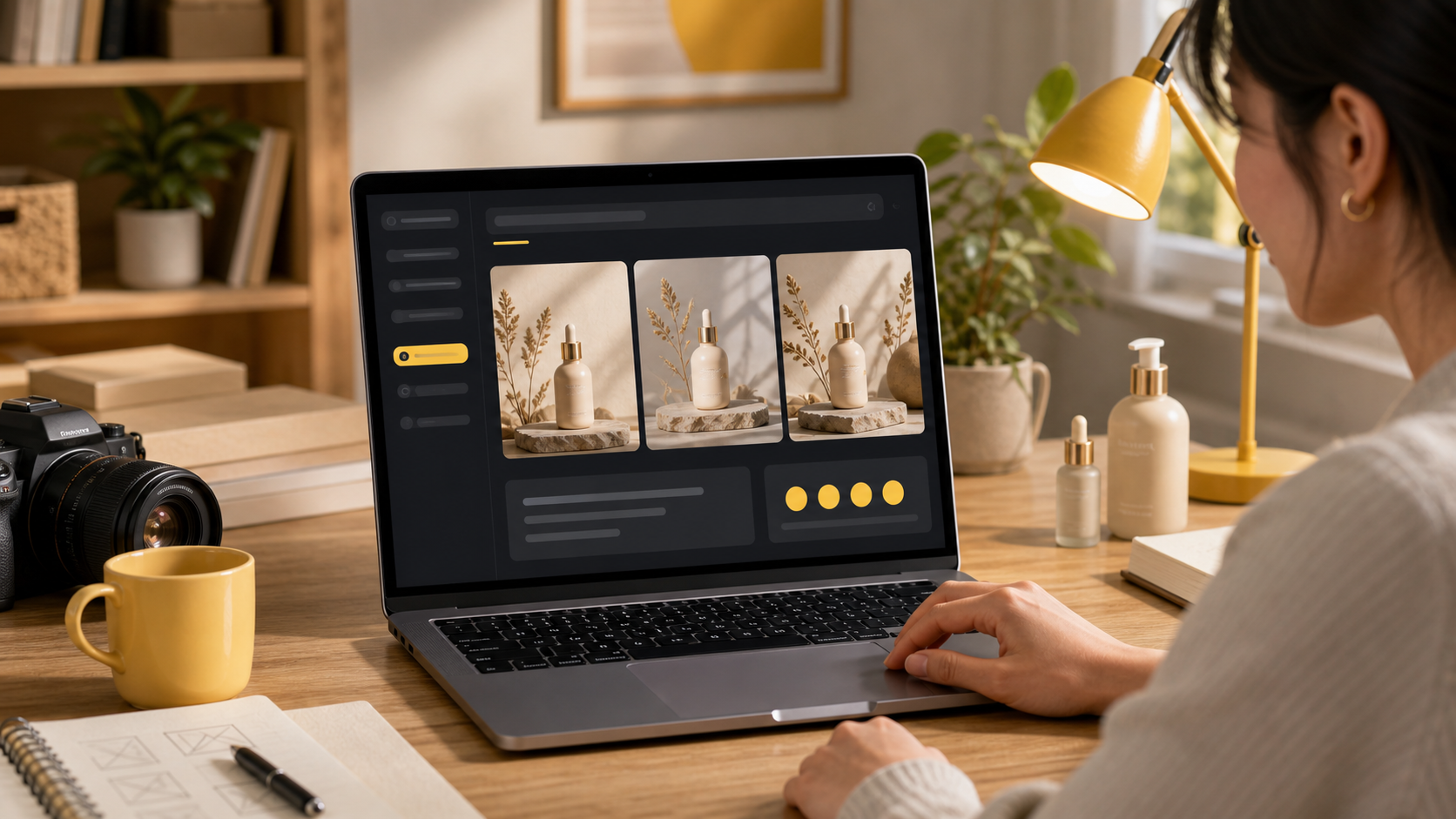
Free usage is most useful when you want to test real image tasks, such as product visuals, before committing to a larger workflow.
What are Nano Banana credits?
Credits are a usage unit that can be connected to generation volume, model access, or plan limits. In many AI tools, credits help control how many images or advanced generations a user can run. Nano Banana can also use credits as part of paid plans or credit-based packages.
The exact meaning of one credit can depend on the workflow and model. For that reason, do not treat a static blog article as the source of truth for credit amounts. Use the live product and Pricing page when deciding whether a plan is enough for your workload.
A simple way to think about credits:
| User behavior | Why credits matter |
|---|---|
| Testing a few prompts | Low credit need |
| Generating many variations | Higher credit need |
| Editing images repeatedly | Credits may be used faster |
| Using advanced models | Credit cost may differ |
| Creating production visuals every week | Paid plan or package is usually easier |
When is the free path enough?
The free path can be enough when your goal is learning or light exploration.
It may be enough if you:
- Only need to test a few prompts.
- Want to compare Nano Banana with other AI image tools.
- Are learning how prompt details change image quality.
- Need occasional creative inspiration.
- Do not need high-volume generation.
- Are not depending on the tool for client or commercial work yet.
For example, a beginner can use Nano Banana to test product-photo prompts, portrait prompts, or social media ideas before deciding whether it belongs in their workflow.
When should you upgrade?
Upgrade when Nano Banana becomes part of a real production routine. If you are generating images for ecommerce, ads, thumbnails, blog visuals, or client work, the free path may become too limited.
You should consider a paid option when you need:
- More generations or more variations.
- A steadier credit allowance.
- Faster creative iteration.
- Access to advanced models or workflows.
- Private or commercial usage features.
- More predictable output capacity for ongoing projects.

The upgrade decision usually depends on volume: occasional testing can stay light, while repeated production work benefits from a clearer credit budget.
How to decide which plan you need
Use your actual image workload instead of choosing a plan only by price.
| Your situation | Recommended next step |
|---|---|
| You are new to AI image generation | Start with the free path |
| You need a few images for one project | Test prompts first, then check credits |
| You create content every week | Compare paid plans |
| You need product visuals for a store | Estimate how many variations you need |
| You work with clients or campaigns | Check commercial and privacy features |
| You need advanced video or model access | Review the live pricing details |
If you are not sure, start with a concrete task. Try creating one product image, one social post image, and one thumbnail concept. If you need many more versions, that is a sign that a paid plan or credit package may be more practical.
How to start without overpaying
The best way to avoid overpaying is to test Nano Banana with a real use case first.
Try this simple process:
- Open the AI image generator.
- Write a specific prompt for one real image you need.
- Generate a first result and review the quality.
- Refine the prompt once or twice.
- Decide whether you need more volume or advanced features.
- Check Pricing before upgrading.
For prompt structure, read How to Use Nano Banana. If you want a product overview first, read What Is Nano Banana AI?.
Frequently asked questions
Is Nano Banana free?
Nano Banana has free entry points for users who want to try AI image generation, but generation capacity, advanced workflows, model access, credits, and commercial features may depend on the current plan and pricing settings.
Can I try Nano Banana before paying?
Yes. Users can start from public Nano Banana image generation workflows and review the live pricing page to understand the current free and paid options before choosing a plan.
What are Nano Banana credits?
Credits are a usage unit that can be connected to generation volume, model access, or paid plans. The exact credit rules can change, so users should check the live pricing page before relying on a specific allowance.
When should I upgrade from free usage?
Upgrade when you need more generations, faster iteration, higher-volume creative work, broader model access, private or commercial workflows, or enough credits for regular production use.
Is the free version enough for beginners?
The free path is usually best for testing the workflow, learning how prompts behave, and deciding whether Nano Banana fits your image generation needs.
Where can I see the current Nano Banana pricing?
Use the live Nano Banana pricing page for the latest plan names, prices, credit amounts, included features, and any limitations.
Categories
More Posts

Advanced Image Editing Techniques with AI
Master professional image editing using Nano Banana's advanced AI tools

8 Best Nano Banana Prompts for Images and Photo Edits
Copy eight of the best Nano Banana prompts for product photos, portraits, posters, interiors, figurines, storyboards, and sketch-to-image edits.

Getting Started with AI Image Generation
Learn how to create stunning images using Nano Banana's powerful AI tools
Newsletter
Join the community
Subscribe to our newsletter for the latest news and updates